Bolt Rifle
In this example the bolt rifle is replaced with a banana gun. For this case, it is recommended to use a Premade Template rather than a Sample USF file.
Hiding geometry
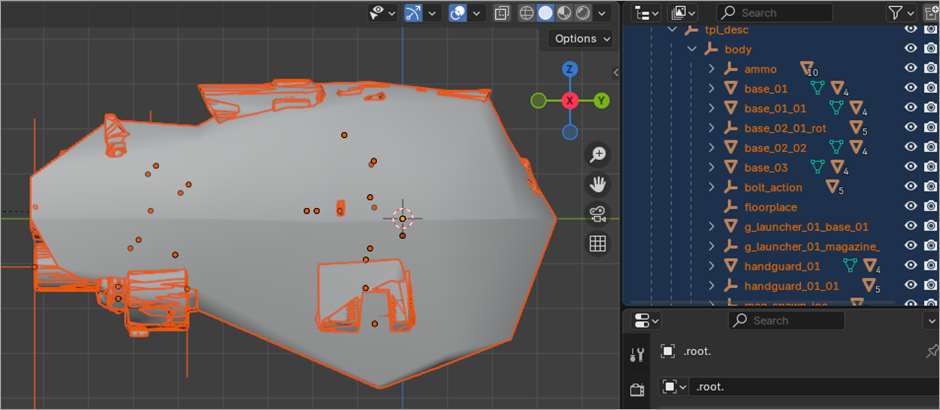
Bolt Rifle is messier than models in previous examples, because it has customization and a lot of moving parts. To make it easier to work with this rifle, you can hide the rigid body (click the blob and press H) and all LODs (type lod in the hierarchy and click the Eye icon on all LODs).
Replacing geometry
For simplicity, let's only replace the base_01 object with a banana.
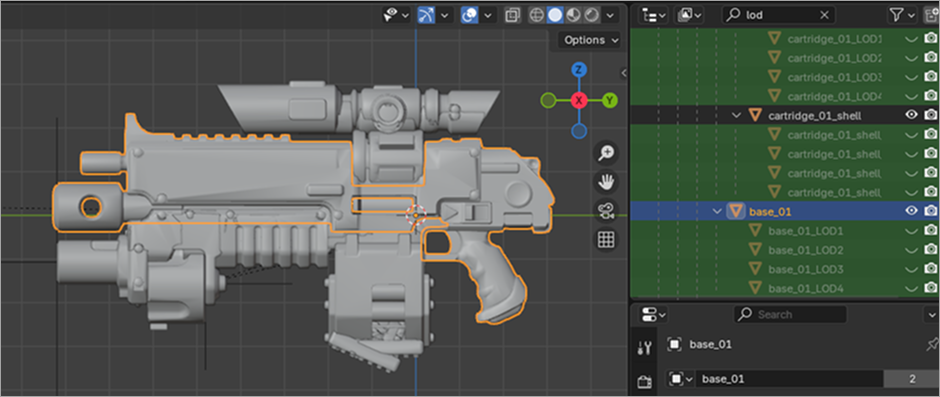
- Hide everything except for the
base_01object. Press Ctrl+I to inverse selection and then press H. You can make a mesh, UV and texture yourself or import the banana from theexample_03folder. - In Edit Mode select
base_01, select all vertices by pressing A and delete them with X > Vertices. - In Object Mode, in the Hierarchy view, while holding Ctrl select
bananaandbase_01(make sure nothing is selected before that operation) and then press Ctrl+J to put thebananageometry into thebase_01geometry. - Open the Materials tab and remove unused material that is left from bolter.
- Select all LODs, duplicate
base_014 times with Shift+D and right-clicking. - Rename the LODs accordingly and link them to
base_01by drag-and-dropping them while holding Shift. - Export, convert mesh and texture, drop the
ptc,tpl, andtdfolders into yourlocalfolder, and check the results.
Animations
Note that tpl_desc contains semi-mandatory custom property with description of animations events:
{
  "IDLE": {},
  "IDLE_3": {},
  "RELOAD_FULL": {
    "1": {
      "comment": "&clip_start_drop",
      "frame": 17
    },
    "2": {
      "comment": "&clip_end_follow",
      "frame": 20
    },
    "3": {
      "comment": "&clip_in_hand",
      "frame": 29
    },
    "4": {
      "comment": "&ReloadClipOut",
      "frame": 15
    },
    "5": {
      "comment": "&ReloadClipIn",
      "frame": 43
    },
    "6": {
      "comment": "&ReloadLock",
      "frame": 60
    }
  },
  "SHOOT_1": {},
  "SHOOT_2": {},
  "SHOOT_3": {},
  "SHOOT_AUX": {}
}
Each key is an event ID; it is a number, like 1, 2, 3, 4, 5, 6. Events are numeric based. Each event contains a comment and a frame when that event happens.
Warhammer 40,000: Space Marine 2 © Games Workshop Limited 2024. Space Marine, the Space Marine logo, GW, Games Workshop, 40K, Warhammer, Warhammer 40,000, 40,000, the 'Aquila' Double-headed Eagle logo, and all associated logos, illustrations, images, names, creatures, races, vehicles, locations, weapons, characters, and the distinctive likeness thereof, are either ® or TM, and/or © Games Workshop Limited, variably registered around the world, and used under licence. Focus Entertainment and its logos are trademarks, registered or not, of Focus Entertainment. Saber Interactive and its logos are trademarks, registered or not, of Saber Interactive. Powered by Wwise © 2006 – 2024 Audiokinetic Inc. Havok software is © 2024 Microsoft. Uses Bink Video. Copyright © 1997-2024 by Epic Games Tools LLC. All rights reserved to their respective owners.