Installation
-
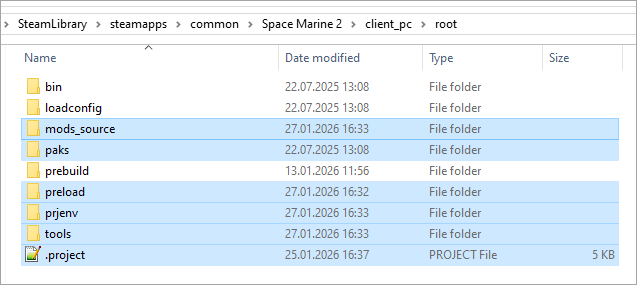
If you haven't already done so, install the Mod Editor and Extra Tools.
-
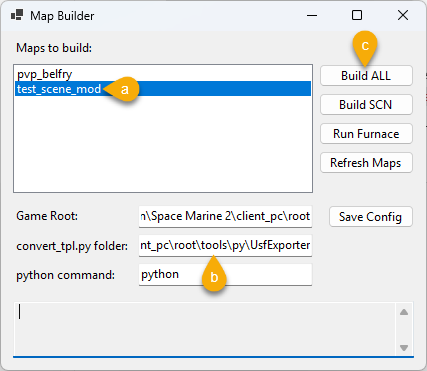
Open
tools\MapBuilder.exe. In the opened window:- (a) Select test_scene_mod.
- (b) In the
convert_tpl.py folderfield specify the location of the UsfExporter from the Space Marine 2 Mod Tools, e.g.,D:\SteamLibrary\steamapps\common\Warhammer 40,000 Space Marine 2 - Mod Tools\ModelConverter\UsfExporter. - (c) Click Build All.
-
In the Steam Launch parameters, enter the following:
--startup --set /Config/WhiteListedVariables/enableModdersAutostartFlow true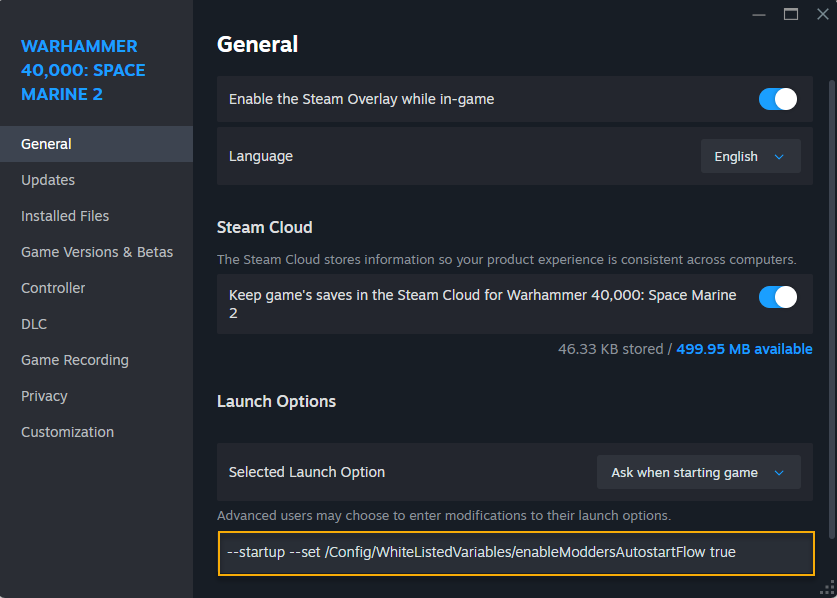
-
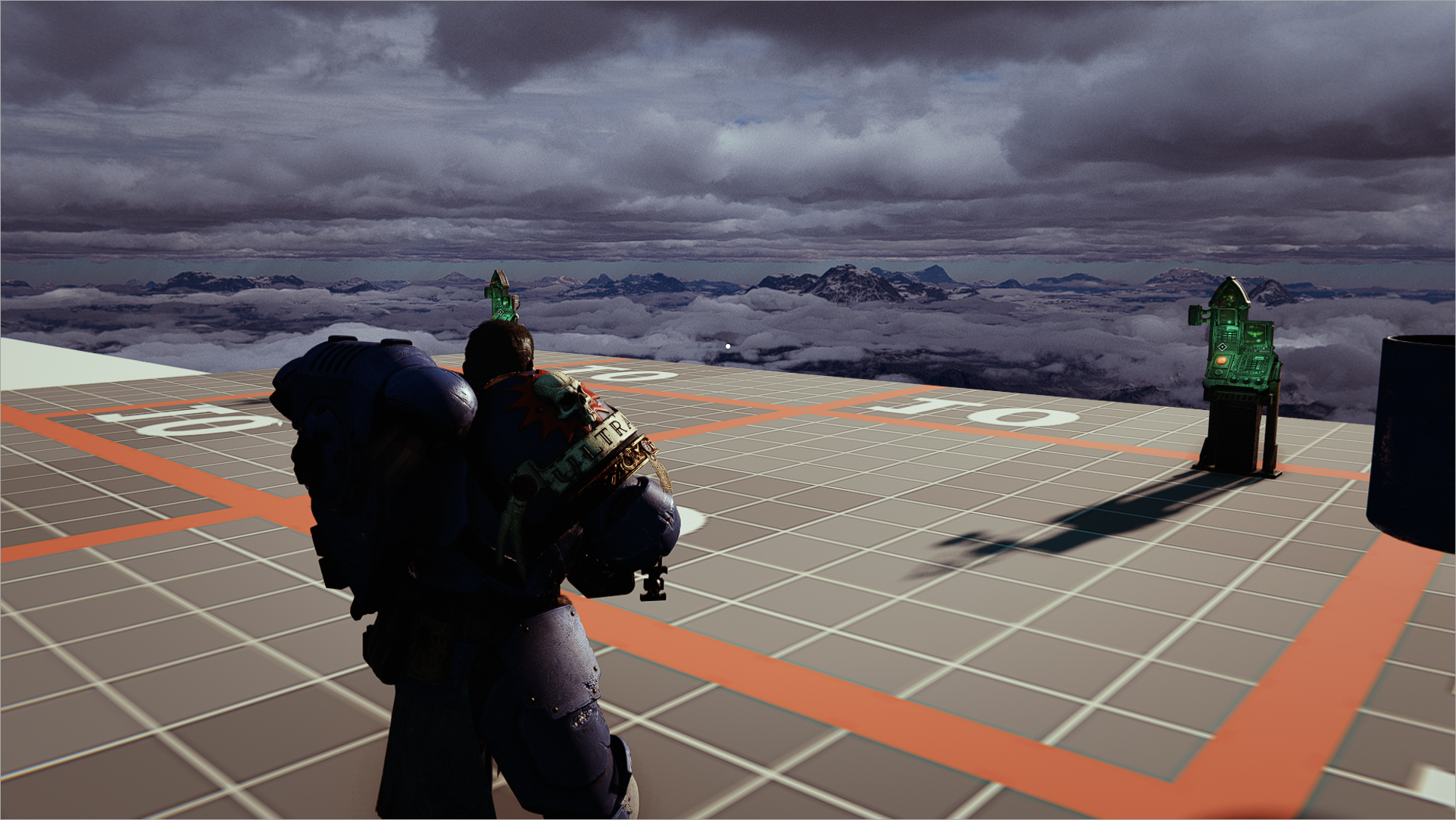
Launch the game to load the test scene.
Warhammer 40,000: Space Marine 2 © Games Workshop Limited 2024. Space Marine, the Space Marine logo, GW, Games Workshop, 40K, Warhammer, Warhammer 40,000, 40,000, the 'Aquila' Double-headed Eagle logo, and all associated logos, illustrations, images, names, creatures, races, vehicles, locations, weapons, characters, and the distinctive likeness thereof, are either ® or TM, and/or © Games Workshop Limited, variably registered around the world, and used under licence. Focus Entertainment and its logos are trademarks, registered or not, of Focus Entertainment. Saber Interactive and its logos are trademarks, registered or not, of Saber Interactive. Powered by Wwise © 2006 – 2024 Audiokinetic Inc. Havok software is © 2024 Microsoft. Uses Bink Video. Copyright © 1997-2024 by Epic Games Tools LLC. All rights reserved to their respective owners.